Aircraft audio geolocation
A flight leaves
a trace in sound.
DOPPLERGEIST uses the changing pitch of passing aircraft and historical flight paths to search for where a recording was made.
An aircraft over Livermore.
An MP3 recorded in Livermore, searched against 466 nearby aircraft. The search ranked candidate locations but did not accept a location.
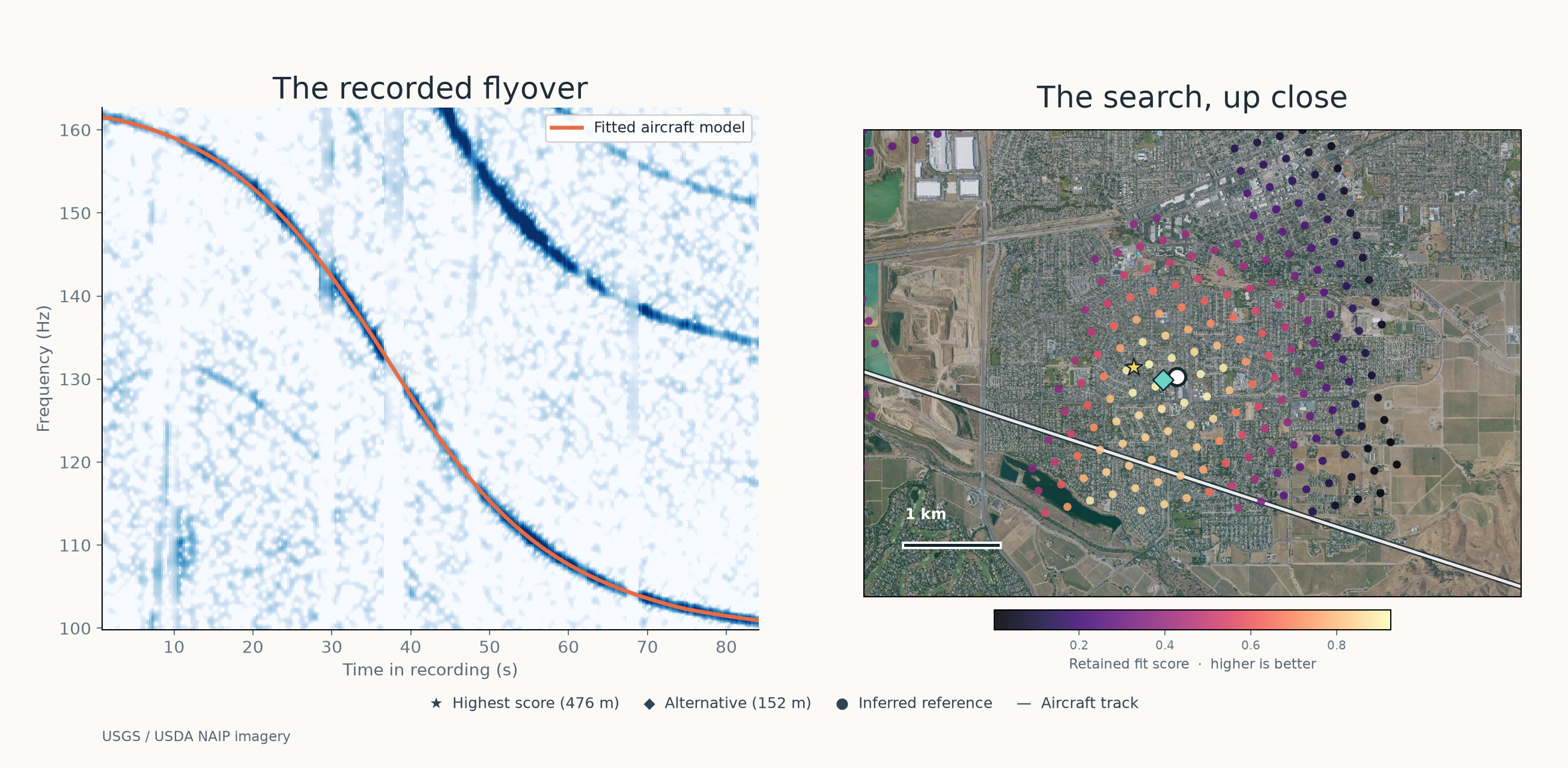
From a pitch curve
to a place on the map.
A single sound can fit more than one flight. The search needs the recording, the flight history, and a consistent explanation for both.
Read the sound.
Find moving tones across the recording. Group related harmonics into one passage.
Follow the aircraft.
Use historical ADS-B positions to predict the pitch at each possible microphone location.
Test the fit.
Match independent flyovers to one location and clock. Return inconclusive when the evidence falls short.
More flyovers. One location.
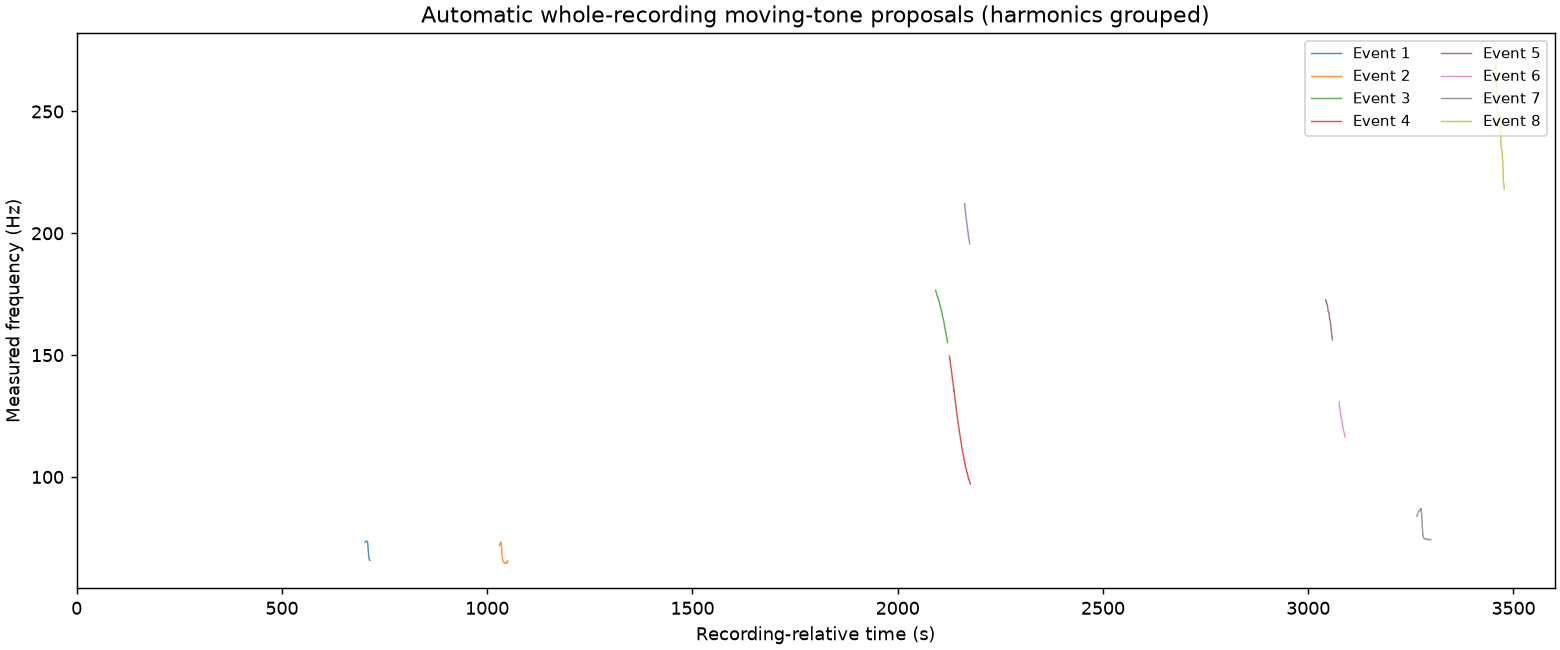
DOPPLERGEIST scans the whole recording and fits independent flyovers to a shared microphone position and clock.
Start with a recording.
Run DOPPLERGEIST locally with your audio and its recording-time window.
Get DOPPLERGEIST